A GUI for DynamoDB Local and LocalStack
DynamoDB Local and LocalStack give you DynamoDB on your machine, but no way to look at what is inside the tables. DynamoOps connects to a local endpoint and gives you the same grid, query tools and editor you use against AWS.
macOS and Windows · No account required
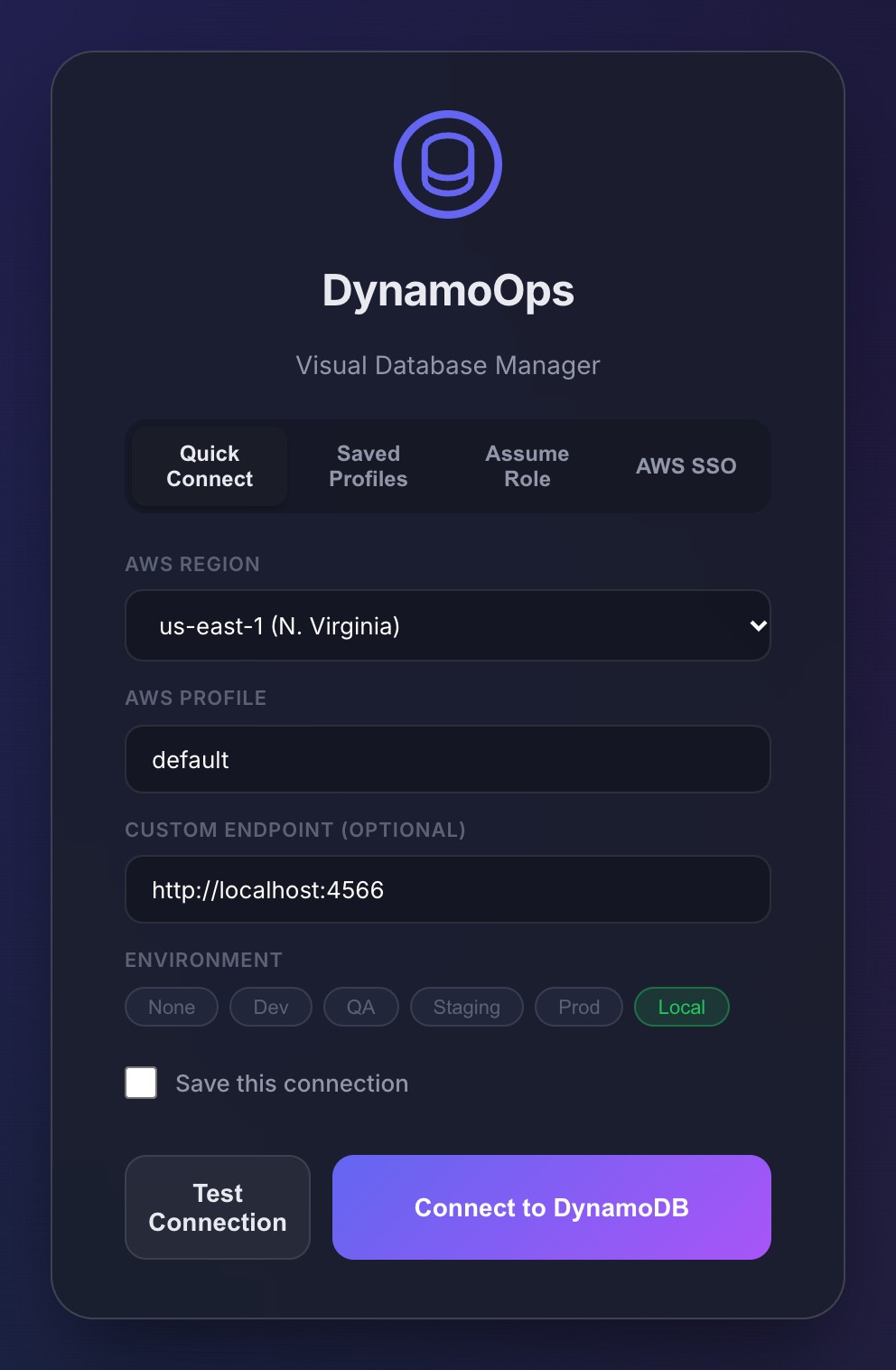
Connect to a local endpoint
On the connection screen, choose the custom endpoint option and enter the address of your local DynamoDB. The defaults are:
- DynamoDB Local (the AWS Docker image or JAR): http://localhost:8000
- LocalStack: http://localhost:4566
What you get that the local emulators do not
- A sortable, resizable data grid and a collapsible JSON view of your items.
- Scan, Query on tables and indexes, and a PartiQL editor with autocomplete.
- Inline editing, item cloning, bulk delete and per-table insert templates for test data.
- JSON, CSV and Excel import to seed a local table, and JSON or CSV export.
- Table creation, index management and truncate, without writing CLI commands.
- The capacity units each operation would consume, before the code reaches a real AWS account.
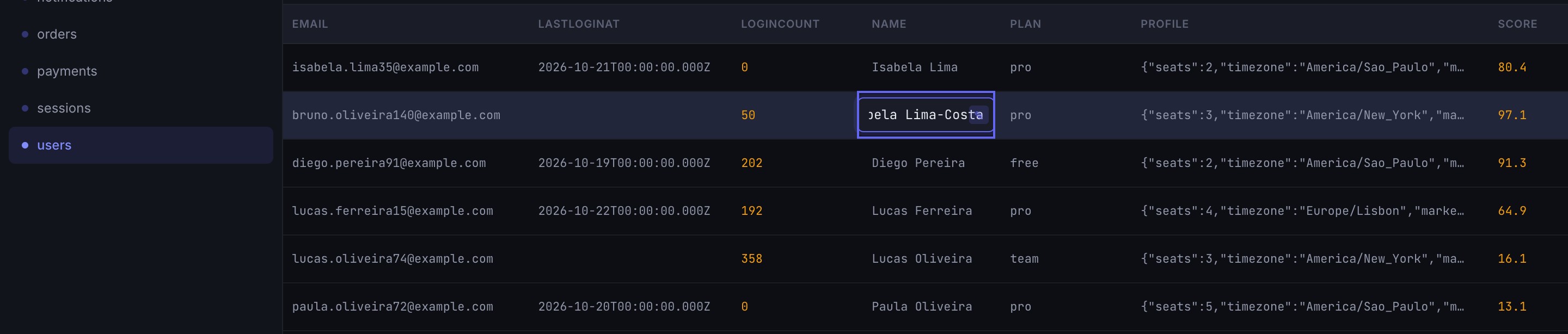
One tool for local and for AWS
A web admin panel such as dynamodb-admin is a good fit when all you need is a quick look at local data. DynamoOps is a desktop app: the same window opens your local tables in one tab and a table in a dev or production AWS account in another, each tab with its own connection and an environment tag so you do not mix them up.

Frequently asked questions
Which endpoint do I use for DynamoDB Local?
DynamoDB Local listens on http://localhost:8000 by default, both as a Docker container and as the downloadable JAR. If you mapped another port, use that one.
Which endpoint do I use for LocalStack?
LocalStack exposes every service, DynamoDB included, on the edge port http://localhost:4566.
Do I need real AWS credentials to use DynamoDB Local?
No. Local emulators accept any access key and secret. Note that DynamoDB Local keeps separate data per access key and region unless it was started with the -sharedDb option, so use the same values your application uses.
Is it free?
Yes. DynamoOps is free for local and AWS use, with no account or license key.
Try DynamoOps
Free, with every feature included and the source code on GitHub.
Download for macOS or WindowsKeep reading
Product names mentioned on this page (Amazon DynamoDB, AWS, LocalStack) are trademarks of their respective owners. DynamoOps is an independent project and is not affiliated with, endorsed by or sponsored by them. Comparisons are based on publicly available information on the dates shown and may be out of date. If something here is inaccurate, open an issue and it will be corrected.